Affiliate disclosure: This post contains affiliate links. If you buy through them, I may earn a commission at no extra cost to you.
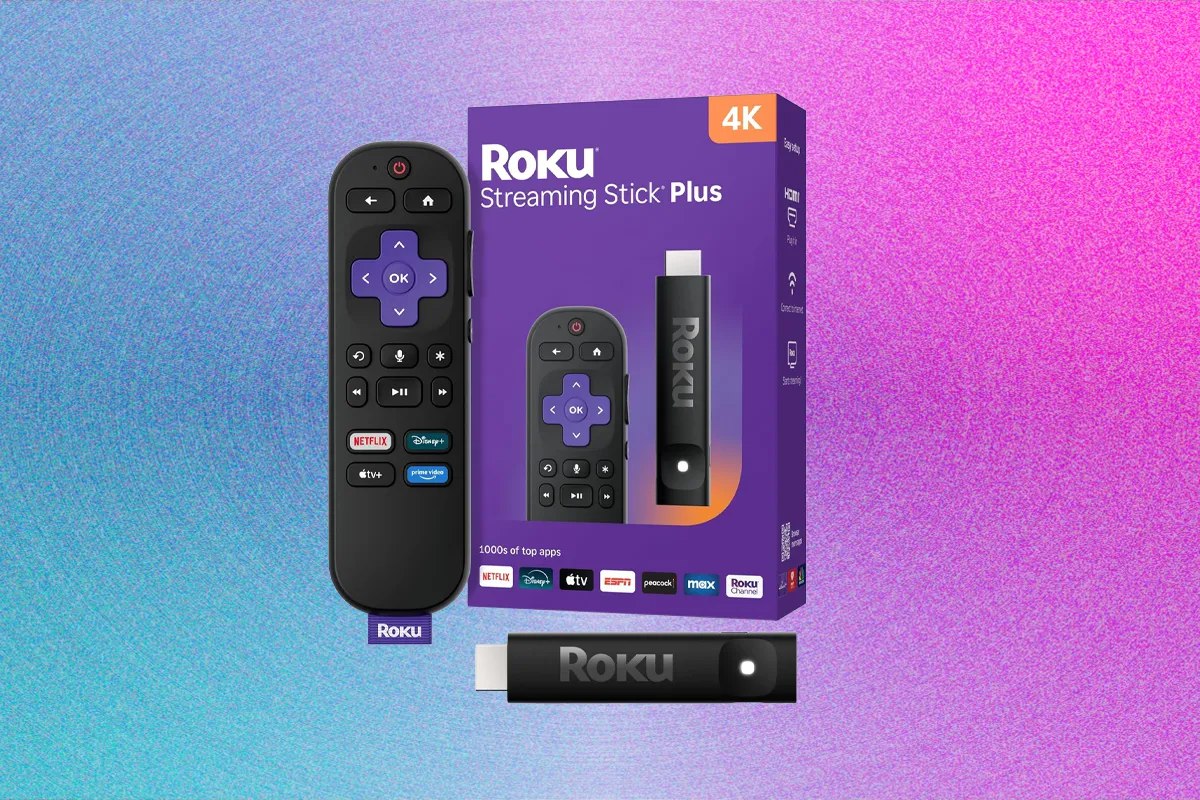
If you want to upgrade an older TV (or make a “smart” TV actually feel smart), a streaming stick is still the cheapest, cleanest fix. Roku’s Streaming Stick 4K family is popular for one big reason: it’s simple. The interface is easy, the app selection is broad, and it doesn’t try to trap you inside one ecosystem.
In this review, I’ll cover what it’s like to use a Roku Streaming Stick day-to-day, the real pros/cons, and whether you should buy it or pick an Amazon Fire TV Stick instead.
Quick verdict
Buy the Roku Streaming Stick 4K if you want a clean, easy interface with excellent app support and minimal hassle. Consider a Fire TV Stick if you’re deep in the Amazon/Alexa ecosystem, want Dolby Atmos support on the stick, or you need newer Wi‑Fi standards (depending on which Fire model you pick).
What I tested (real-world review checklist)
- Setup speed: plug-in, pairing remote, Wi‑Fi connect, account + app installs
- Interface: home screen speed, navigation, search, how “ad-heavy” it feels
- Streaming performance: 4K playback stability, buffering, fast-forward/rewind responsiveness
- App compatibility: the usual big services + free TV apps
- Remote experience: button layout, voice search usefulness, TV power/volume control
- Heat + stability: long sessions, sleep/wake behavior
Pros
- Clean, beginner-friendly interface — Roku is still one of the easiest platforms for non-tech users.
- Neutral platform — it doesn’t aggressively force you into one service the way some competitors do.
- Excellent app selection — the major streaming apps are here, plus lots of free TV options.
- Fast to set up — plug in, connect, install apps, done.
- Solid 4K HDR support (model dependent) — great picture quality on compatible TVs and services.
- Remote is simple — quick access buttons, easy navigation, voice search for basics.
Cons
- Wi‑Fi spec can lag behind some Fire TV models — Fire TV Stick 4K/Max models often use newer Wi‑Fi standards than Roku sticks.
- Audio features can be less “spec-sheet impressive” — Fire TV sticks commonly advertise Dolby Atmos support; Roku’s support varies by device/model and setup.
- Not the best choice if you want deep Alexa smart-home control — Fire TV wins inside the Amazon ecosystem.
- Some ads still exist — Roku is typically less aggressive than Fire TV, but it’s not ad-free.
Roku Streaming Stick vs Fire TV Stick: comparison table
Models change over time, so think of this as the typical real-world difference between the platforms (and confirm exact specs on the listing before you buy).
| Category | Roku Streaming Stick 4K family | Amazon Fire TV Stick 4K / 4K Max |
|---|---|---|
| Interface style | Clean grid, simple, fast to learn | Content-heavy, more promotional |
| Ads / promos | Usually lighter | Usually heavier (more Amazon-first) |
| Voice assistant | Roku voice search (good for finding content) | Alexa (strong smart-home + deeper Amazon integration) |
| Wi‑Fi (typical) | Often older Wi‑Fi standard vs Fire’s newest models | Often newer Wi‑Fi (varies by model, some support Wi‑Fi 6/6E) |
| HDR formats | 4K HDR support varies by model; many support Dolby Vision/HDR10 | Often supports Dolby Vision/HDR10 and HDR10+ (model dependent) |
| Audio (typical) | Good for TV speakers/soundbars; check model for premium codecs | Often advertises Dolby Atmos support (model dependent) |
| Best for | People who want simple, neutral streaming | Prime Video users, Alexa homes, spec-driven buyers |
Should you buy it?
Yes—buy a Roku Streaming Stick if you value simplicity, a clean home screen, and a “just works” streaming experience. It’s especially good for families, rentals/Airbnbs, or anyone tired of cluttered TV interfaces.
Skip it (or compare hard) if you want the most modern Wi‑Fi features, you’re all-in on Alexa smart home control, or you’re choosing specifically for Atmos/HDR10+ features—those needs often point toward specific Fire TV Stick models.
Final verdict
Roku’s Streaming Stick line remains one of the safest recommendations for most households because it prioritizes usability over ecosystem lock-in. If you want a streaming stick that’s easy to live with, Roku is a great choice. If you want maximum Amazon integration and potentially newer networking/audio features, Fire TV is the better match.